Healthcare AI vendor risk · A ReMyll product
Sample assessment Contact
AITPRM Health™A ReMyll product
How it works

Identify, evaluate, review, decide: the same sequence for every vendor.

Every assessment follows the same sequence, whatever the vendor. Each step has a defined input, a defined output and a named owner, so a review can be handed to a colleague without losing the thread.

01 Identify02 Evaluate03 Review04 DecideVendor portal
01Owner · Review lead

Identify the vendor

Six deployment facts are captured: clinical context, systems touched, write access, autonomy level, states of operation and the decision date. The resulting pattern sets question depth; a baseline set of PHI and subprocessor controls applies to every review.

InHow the tool will be usedOutScoped question set
Intake · New assessment6 facts
Clinical contextAmbulatory documentation
Systems touchedEHR, scheduling
Write accessYes, encounter notes
Autonomy levelDrafts for clinician sign-off
States of operationMI, OH, IN
Decision date2026-05-15
Resolved pattern
Ambient documentation, EHR write
Scoped set
118 questions + 3 state overlays

Illustrative. Sample data shown.

02Owner · Vendor

Evaluate the vendor

The vendor answers its own scoped set in the portal and files each artifact against the question it supports, with clarifications threaded on the original question.
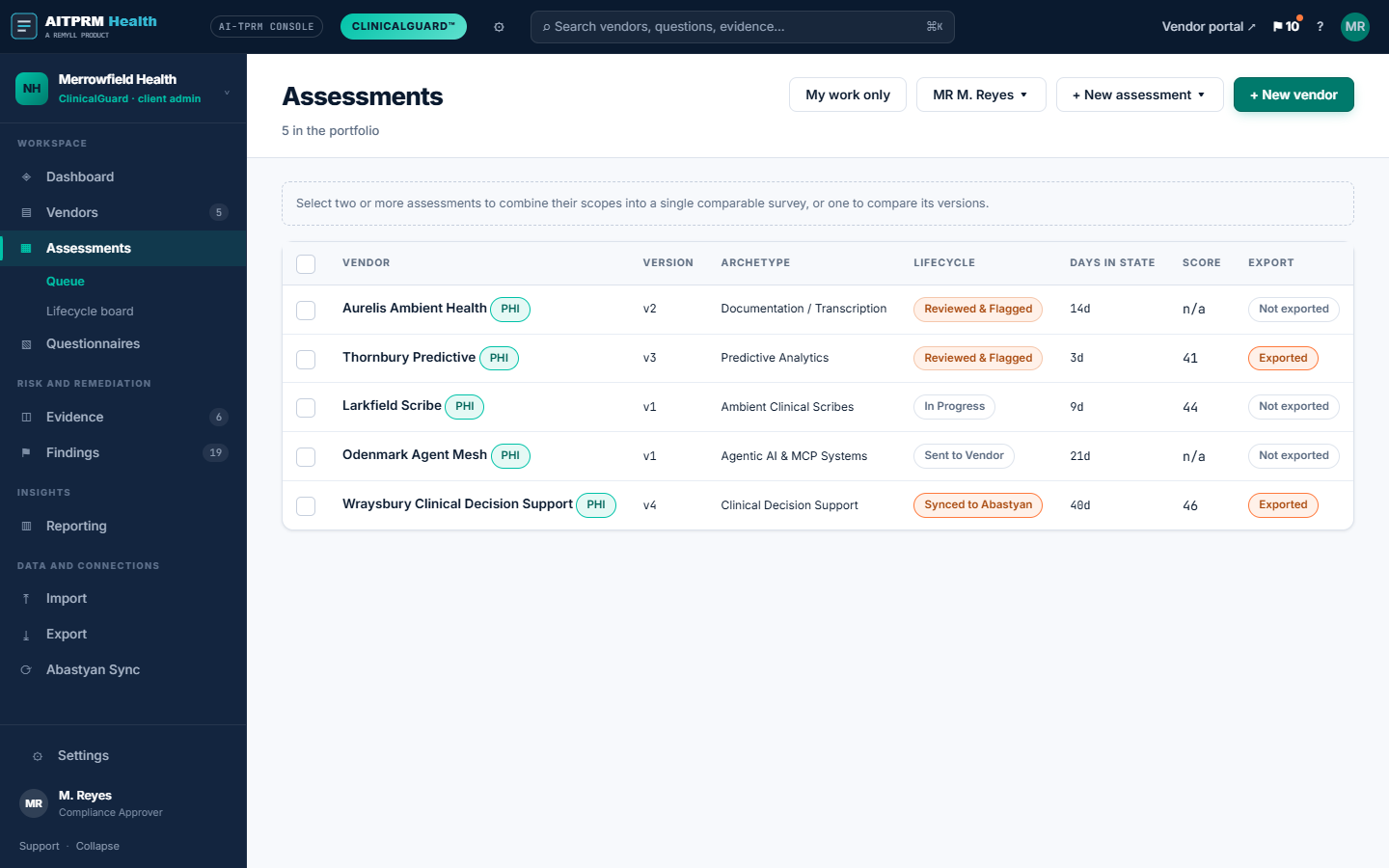
InScoped question setOutAnswers with artifacts
aitprm.com/assessments
Assessments list

Illustrative. Sample data shown.

03Owner · Reviewer

Independent Evidence Rating & Discrepancy Scoring

Vendor responses and supporting documentation are evaluated independently against a transparent rubric. If a submitted artifact, such as a subprocessor register, does not fully substantiate a questionnaire response, the platform logs a documentation gap. High-priority gaps trigger structured findings that apply an objective ceiling to the domain score until verified documentation is supplied.
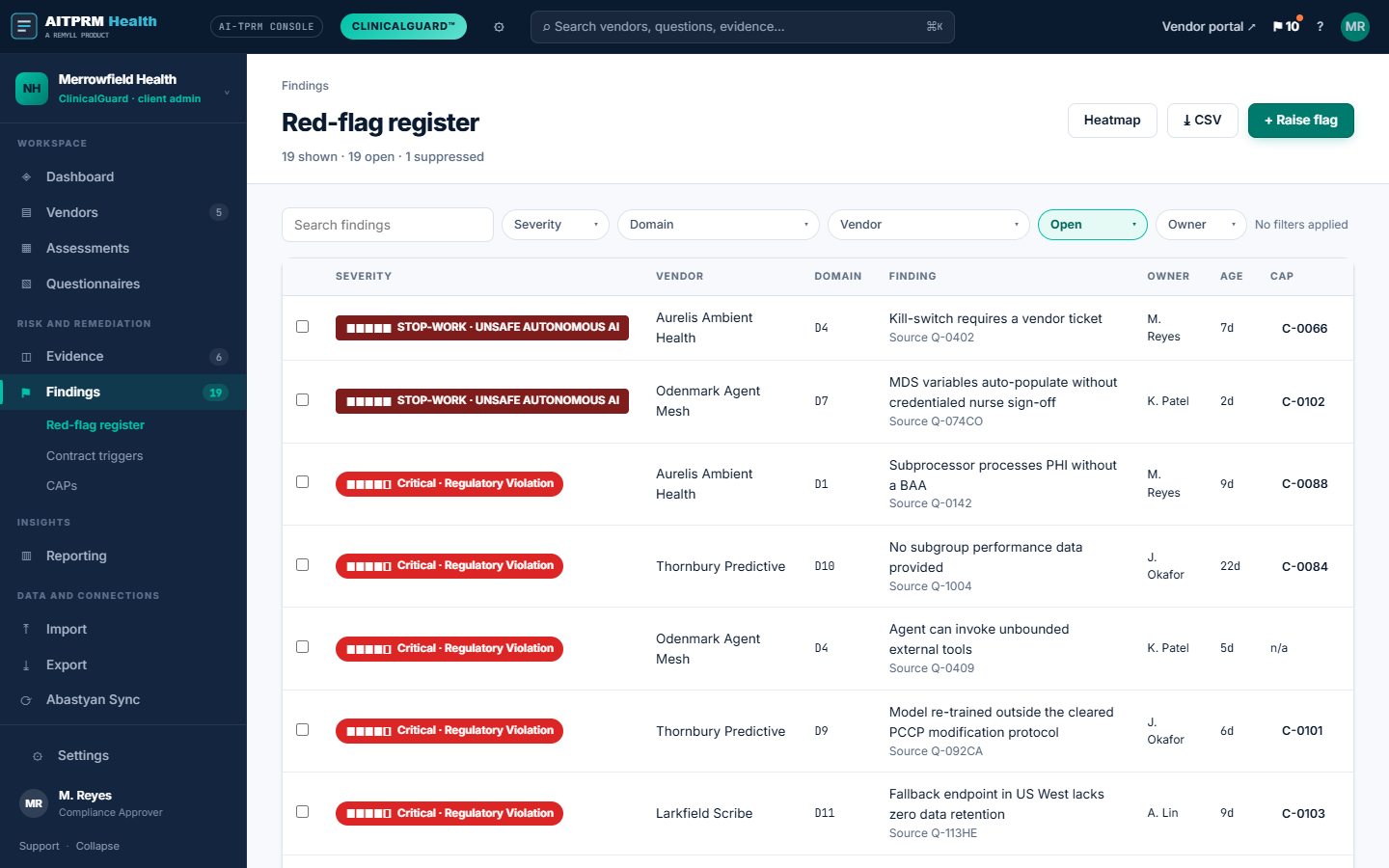
InAnswers with artifactsOutScored record and findings
aitprm.com/findings
Red-flag register

Illustrative. Sample data shown.

04Owner · Counsel

Approve or decline

Qualifying findings produce suggested clause templates for counsel review, each linked to the finding reference and supporting evidence, and the decision closes in the ledger with its named reviewer.
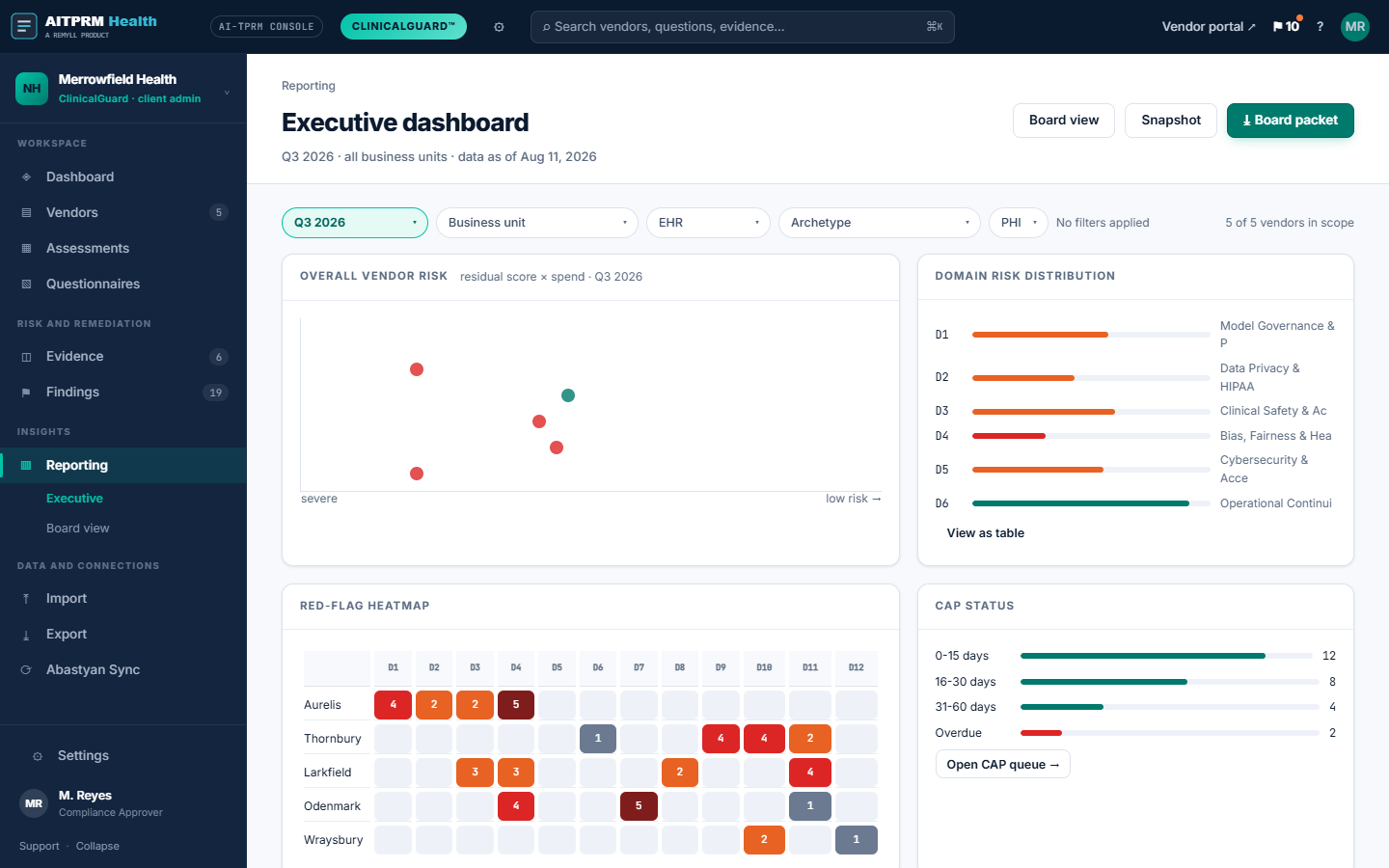
InFindings registerOutSample contract controls
aitprm.com/reporting
Executive dashboard

Illustrative. Sample data shown.

The vendor portal

Vendors respond in a dedicated portal, against the scoped question set.

A review is delayed when a vendor receives a spreadsheet it cannot map to its own documentation. The portal sends only the questions the deployment draws and names the artifact each one expects.

What the vendor sees
Only the questions its deployment draws
The specific artifact expected for each question
Progress by domain and what remains outstanding
Clarifications threaded on the original question
A dated record of exactly what it submitted
What the reviewer sees
Answer, attachments and evidence rating side by side
A suggested score, with a note required on departure
Domain score, weight contribution and current ceiling
Answers that conflict with their own attachments, flagged
Findings and generated contract controls in one place

Response time depends on the size of the scoped set and the documentation the vendor has on hand. A declined question is recorded with the stated reason and its evidence rating becomes missing, which limits the score that question can reach.

What comes out

One record. Two readers.

The committee reads a summary drawn from the record. The auditor reads the record itself. Both come from the same ledger, written as the review happens rather than assembled afterwards.

What the committee reads
01
Scope and depth
What the tool does, which pattern it resolved to, which overlays were applied and which states they came from.
02
Score with ceilings shown
The overall figure, the weight each domain contributed, and any ceiling applied by an open finding.
03
Findings by severity
Each finding with its tier, the question that produced it, the evidence rating behind it and its current status.
04
Sample contract controls
Generated for every qualifying finding, each carrying its finding reference and the vendor answer.
05
Recommendation and conditions
Approve, approve with conditions, defer or decline, with the named reviewer and the date attached.
What the audit ledger holds
Who asked, who answered, who scored, and when
Every artifact, filed against the question it supports
Every score change with the note that justified it
Findings, severity, ceilings and closure status
Generated contract controls and the finding reference
Which makes possible
A past decision retrieved rather than reconstructed
Reassessment that appends instead of overwriting
Year over year comparability across the portfolio
Full export, so the record outlives any platform
Next step

See how AITPRM Health evaluates vendor risk across 12 core domains.

Thirty minutes covering scoping, the portal, scoring and the contract controls it produces, on a deployment you are actually reviewing.